How to Try On Hairstyles on Your Face With AI
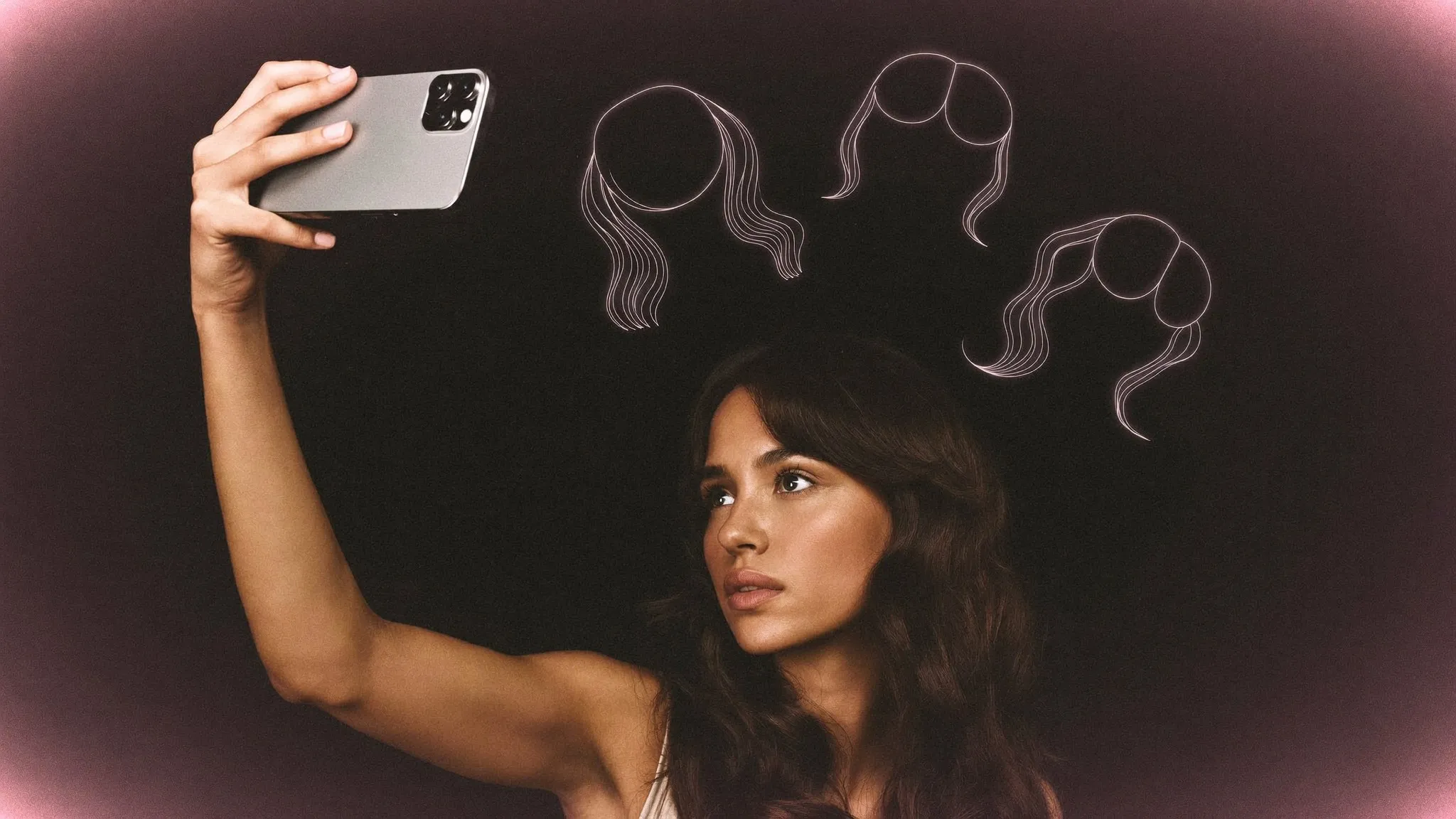
You can try on hairstyles on a photo of your own face using an AI try-on app like Get The Look. Take a clear, front-facing selfie in good light, pick the cuts and colors you’re curious about, and the app renders each one on your actual face and hair so you can see it before you commit. It takes about five minutes, and it beats guessing from photos of strangers who don’t share your features.
Why try a hairstyle before you cut?
A haircut is one of the few beauty decisions you can’t undo on the spot. Color fades. Makeup comes off at night. But a cut is gone the moment the scissors close, and if it’s wrong, your only real options are living with it or waiting it out — which usually means months of pins, product, and “I’m growing it back.”
That’s the trouble with the classic move: showing up at the salon with a photo of a celebrity and hoping for the best. The style looked incredible on them, with their face shape, their hair density, and their stylist doing the work. On you, it can land completely differently. A virtual try-on closes that gap. You see the shape on your own face first, so you walk in with a realistic reference instead of a fantasy — and your stylist spends the appointment cutting instead of talking you down from something that was never going to work.
It also saves you from decision paralysis. When you can see five options side by side on your own face, the choice gets obvious fast. The one you thought you wanted often loses to one you’d never have booked blind.
How do I take the right selfie for a virtual try-on?
The quality of your try-on depends almost entirely on the quality of your photo. Every AI tool — this one included — works best with a clean, well-lit shot of your face. Here’s what makes a good one:
- Face a window. Soft, even daylight from the front is ideal. Overhead lights cast shadows under your eyes and nose, and harsh direct sun blows out detail. Turn toward the light, not away from it.
- Pull your hair back off your face. Clip it back or tuck it behind your ears so your hairline, forehead, and the sides of your face are visible. The AI needs to see your actual head shape to place a new style on it convincingly.
- Keep a neutral expression. A relaxed, closed-mouth look reads more accurately than a big smile, which changes the shape of your cheeks and jaw.
- Shoot at eye level. Hold the camera straight in front of you. A downward angle shrinks your forehead; an upward one exaggerates your jaw. Both distort how a style fits.
- Skip the beauty filters. Filters smooth and reshape your features, which throws off the render. You want the AI working from your real face, not a retouched version of it.
One straight-on shot is enough to start. If you want to judge a style properly, add a second photo from a slight angle so you can see how a cut frames the sides of your face, not just the front.
Step by step: trying on hairstyles with AI
Here’s the full flow, start to finish:
- Get the app. Get The Look is on both iOS and Android.
- Snap or upload your selfie. Use the shot you just took, or take a fresh one right in the app.
- Browse cuts by category — short, long, bobs, bangs, layers, updos — or paste an inspiration photo of a look you’ve saved from social media.
- Let the AI render it. It keeps your face and features and places the new hairstyle on you, blending it so it reads like your own hair rather than a wig dropped on top.
- Save and share your favorites. Keep the ones you love, send them to a friend for a second opinion, and bring the best one to your stylist as a reference that’s actually you.
You’re not limited to cuts, either. In the same session you can change your hair color — test a warm copper, a cool brunette, or a few subtle highlights — so you’re previewing the whole look, not just the shape.
Here’s what a single try-on looks like — your starting photo first, then an AI-rendered style:
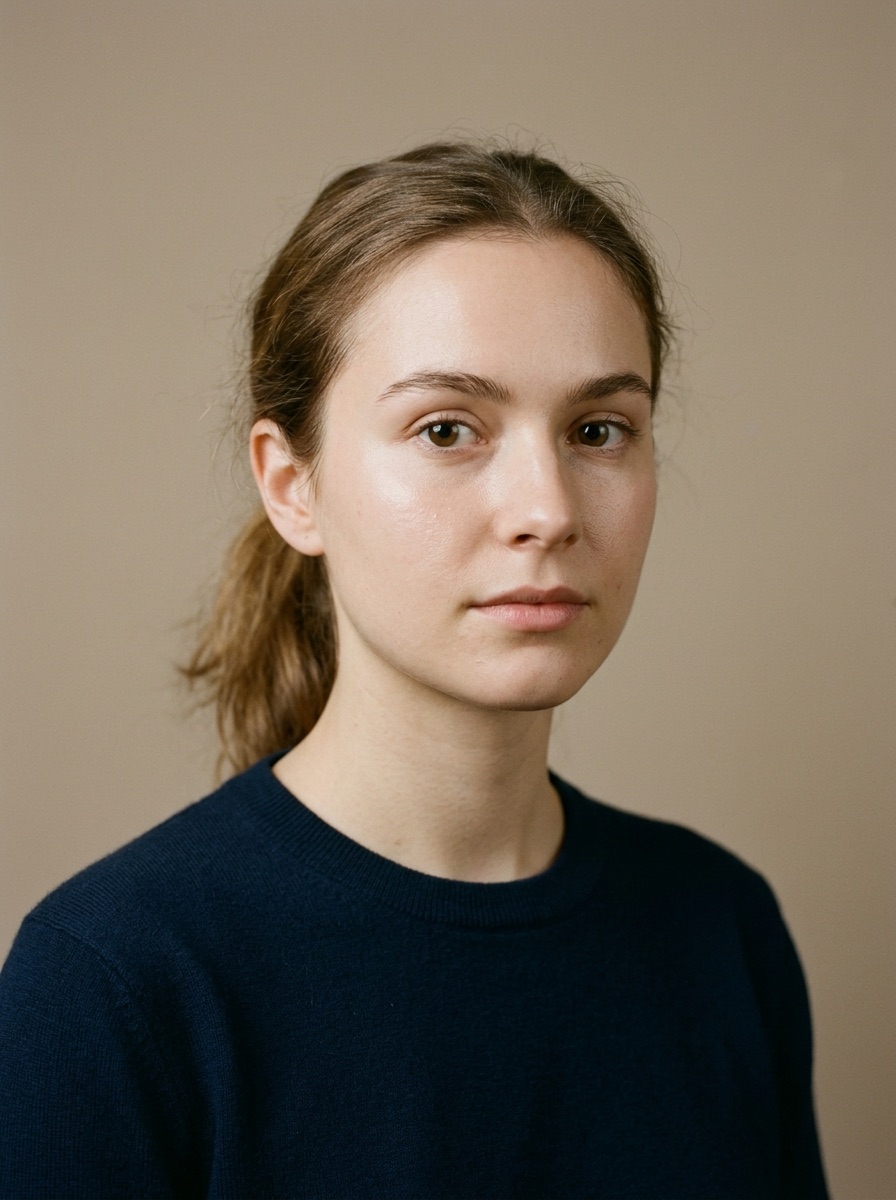
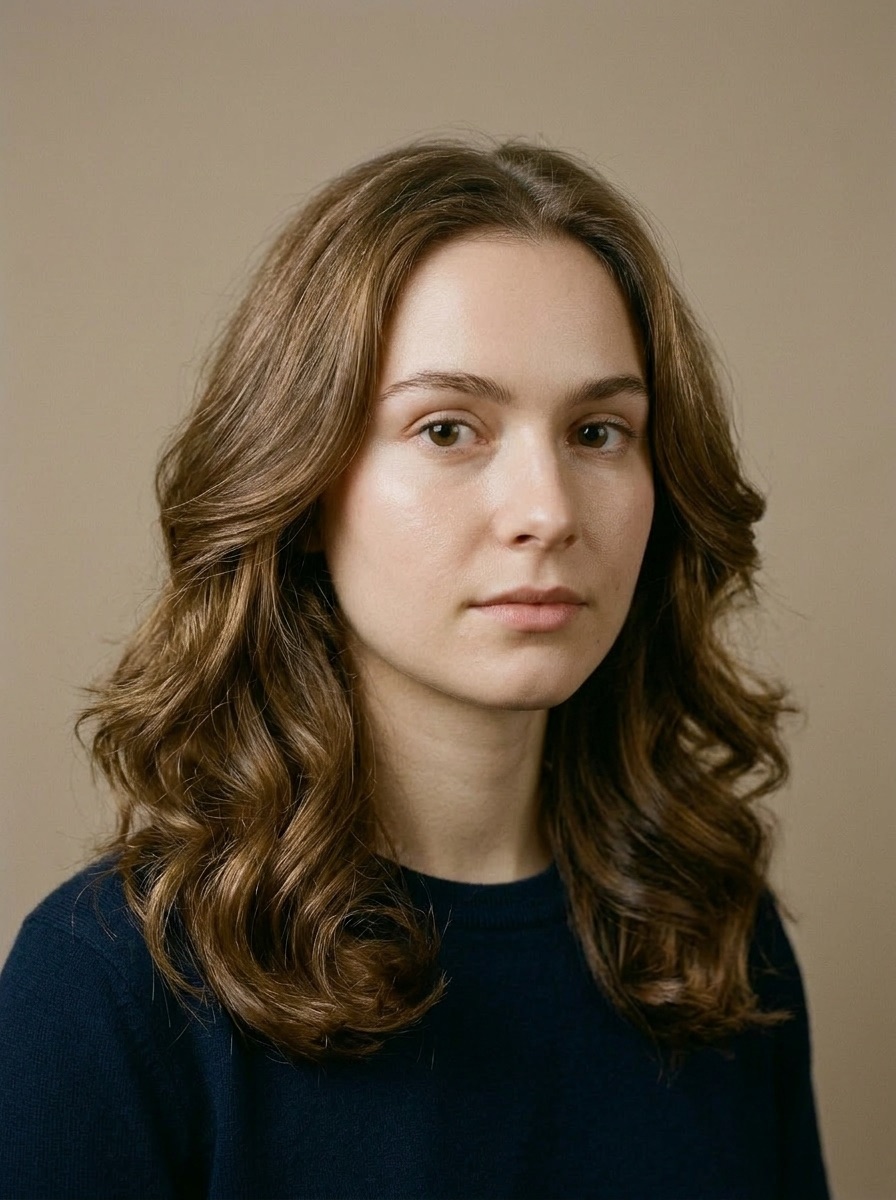
Notice that it’s still recognizably her: same face, same features, new hair. That’s the whole point — you’re not looking at a model, you’re looking at you with a different cut.
How accurate are AI hairstyle try-ons?
Better than they used to be, and good enough to make real decisions with — as long as you know where the line is.
Modern generative AI does a genuinely good job of keeping your facial features intact while swapping the hair, and it blends the new style so it sits naturally against your skin tone and the lighting in your photo. Shape, length, and color come through clearly and honestly. That’s most of what you’re trying to decide.
What it can’t do is simulate exactly how your specific hair will hold a given style. Fine hair, thick hair, tight curls, cowlicks, and a stubborn part all behave differently in real life, and a rendered image can’t feel your hair or predict how it’ll dry. Color is a good example: the app shows the tone accurately, but going several shades lighter than your natural color means a bleaching step in real life that the image doesn’t show. So treat the result as a highly informed preview, not a guarantee. It answers “would this shape suit my face?” very well. It can’t answer “will my hair actually do this every morning?” — that one’s for your stylist, who can look at your texture and density in person and tell you what’s realistic to maintain.
Here’s the honest split:
| What AI try-on shows well | What to confirm with your stylist |
|---|---|
| Overall shape and how it frames your face | How your hair’s texture will hold the shape |
| Length — short, mid, or long | Daily styling time and upkeep |
| Color and how it reads against your skin | Whether your hair needs lightening first |
| Bangs vs. no bangs | How the cut grows out over the next few months |
Used this way, the try-on and the stylist aren’t in competition — the app narrows it down to a couple of real contenders, and your stylist makes the final call on what’s doable.
Try a new hairstyle on your face →
What should I try first?
Once you’ve got the hang of it, the fun part is deciding what to test. If you’re not sure where to start, start with shape — your face shape is the single biggest factor in whether a cut flatters you, so read what haircut suits my face shape and try on a couple of the styles it suggests for your features.
Then play with color. A shade that lights up your complexion can matter as much as the cut itself — our guide to hair color for your skin tone breaks down warm, cool, and neutral undertones so you test shades that work with you, not against you.
And if you want to see how Get The Look stacks up against other tools before you commit, we compared the field in the best AI hairstyle and makeup try-on apps.
Your five-minute experiment
Give yourself five minutes and one good selfie. Pull your hair back, face a window, and take the shot. Then open Get The Look, try on the three styles you keep coming back to, and save the ones that actually look like you. Worst case, you’ve ruled out a mistake before it ever reached your hair. Best case, you walk into your next appointment knowing exactly what you want — and exactly what it’ll look like on you.
FAQs
- Is there an app to try hairstyles on my face?
- Yes. Download Get The Look on iOS or Android, upload a selfie, and browse cuts and colors — the AI renders each style on your actual face and hair. Full try-on access is part of its premium plan.
- How accurate are AI hairstyle try-ons?
- Modern AI try-ons are accurate enough to make real decisions with. They show shape, length, and color realistically while keeping your own features. What they cannot predict is exactly how your hair texture will hold a style, so treat the result as a strong preview and let your stylist confirm what is doable.
- Can I try hair colors too?
- Yes. Most AI try-on apps, including Get The Look, let you change hair color as well as cut, so you can preview a new shade before committing to dye. It is an easy way to test whether warm, cool, or neutral tones suit your skin.
- Do virtual hairstyle apps work for men?
- Yes. The same tools work for any face and any hair length. Men can try on fades, crops, longer styles, and hair colors using the same selfie-and-render process.